Check supported updates for identified companies in your saved groups. Keep the observed change beside the account context so you can revisit the companies that matter.
EXAMPLE REVIEW LOGExample data · Fictional companies
Review the change
New relationship—or improved source coverage?
PREVIOUS VIEWNot in the saved view
↓
CURRENT VIEWMeridian Werk now returned
Check the connection and country before adding it to the next account review.
In-app checks for supported updates. No automatic email alerts or guaranteed real-time coverage.
Save. Check. Revisit.
01
Save the group
Keep your account context with the identified companies you intend to review over time.
02
Check supported updates
Open monitoring to retrieve available changes and compare snapshots for the saved group.
03
Update the account plan
Review the changed entity, record the evidence and revise the next action if the change matters.
Decide which changes deserve attention.
01
A change is useful when you can understand it.
Review the affected field, the provider’s event description and available before-and-after values. Detection time is separate from event time. If the source does not supply a transaction date, EntityReach does not invent one.
Group-structure changes reported for enrolled group members
Changes to company names, operating status and employee counts
In-app event history after monitoring is enabled
Saved snapshot history and latest-group comparisons
02
A clear monitoring scope.
Monitoring enrols identified members of the saved group in batches of five. Enrolment failures and unresolved company IDs are shown explicitly. Newly discovered members are added when you save a refreshed group. Very large results remain limited to the 5,000 entities returned by the explorer; provider entitlement applies. Email delivery is not configured.
03
Newly observed does not always mean newly created.
A company may appear in a new snapshot because of improved coverage or a newly resolved relationship. A company missing from the latest response may reflect a data gap. EntityReach describes these as observed differences rather than confirmed acquisitions, formations or disposals.
04
Turn a change into the next step.
Open the group, review the connection and revise your shortlist or account plan. Source refresh intervals vary. Monitoring depends on supported changes being detected in the underlying data and is not a promise of instant worldwide registry updates.
Use cases
Know when to revisit an account.
New entity in the result
Revisit the shortlist with an open question.
A newly returned subsidiary may be a candidate, a holding company or a data-coverage improvement. Check identity, territory and activity first.
Next actionConfirm the nature of the relationship before presenting it as a group expansion event.
Match the update to an account-owner question.
Group monitoring: research evidence and account planning decisions
Observed update
Potential account relevance
What to verify
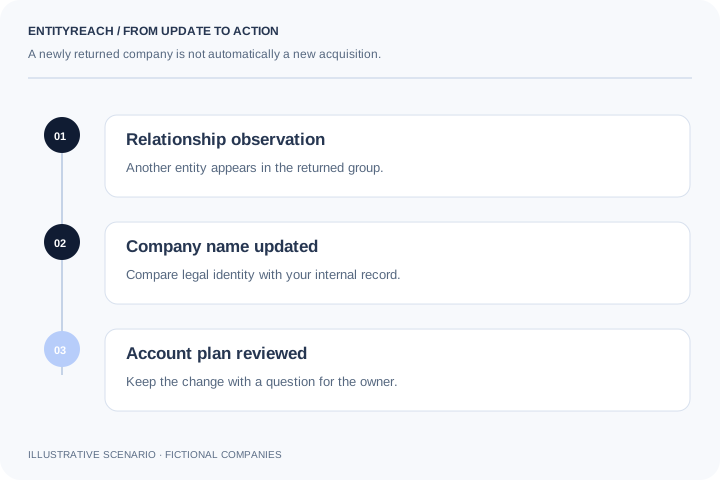
Another entity appears
A related business may belong in the next territory review.
Whether the relationship is new or simply newly returned.
Name changes
Your internal account record may need reconciliation.
Legal identity and registration continuity.
Operating status changes
An existing plan or active conversation may need review.
The returned status, source detail and commercial impact.
Profile changes
The entity may warrant a fresh fit review.
Which field changed and whether it affects your offer.
Account context
Newly observed does not always mean newly acquired.
A company can appear in a refreshed group because a source added coverage or resolved a relationship. Keep detection time separate from any source event date. The useful action is to inspect the evidence and account relevance, not to turn every new record into an acquisition claim.
Different updates call for different kinds of review.
Profile updates2
Relationship observation1
Company name1
Operating status1
Illustrative five-event review: two profile updates and one each for a relationship, company name and operating status. This is not a live feed or a measure of monitoring coverage.
Corporate group monitoring helps you revisit a saved group when supported company information or relationships change. EntityReach combines available updates with saved account context so your team can decide whether the plan needs attention.
Which company changes can I review?
The current workflow supports available updates for enrolled group members, including company names, operating status, supported profile fields and reported group-structure changes. Availability depends on the underlying service and your entitlement.
Are company monitoring alerts delivered by email?
No. The current product provides in-app history and checks for supported updates when you use the monitoring workflow. Automatic email delivery is not configured.
Is corporate monitoring real time?
No guaranteed real-time worldwide coverage is provided. Source refresh intervals and supported change detection vary. Check the returned dates and evidence before deciding how recent a change is.
Does a new subsidiary in a result prove an acquisition?
No. A newly returned company can reflect improved coverage or a resolved relationship. Distinguish the time you observed the record from any verified event date; do not label it an acquisition without supporting evidence.
How are group members enrolled for monitoring?
Identified companies in a saved group are enrolled in batches of five. Unresolved IDs and enrolment failures are shown so you can see which members need attention. Service entitlement applies.
Are newly discovered companies monitored automatically?
Newly discovered members are added when you save a refreshed group. Review the updated structure and enrolment outcome rather than assuming every entity is already monitored.
Can I compare saved group snapshots?
Yes. Saved snapshot history and latest-group comparisons help you inspect differences. A missing company in a later response may be a data gap, so an observed difference should be reviewed before drawing a commercial conclusion.
Can I monitor the fictional example group?
The illustrative group demonstrates the workflow, but real monitoring requires identified companies supported by the data service. Use an actual account to evaluate enrolment, update availability and source detail.
How should monitoring support account expansion?
Use a relevant update as a reason to revisit fit, agreement coverage or the next conversation. Keep the change evidence with the account plan, and avoid treating every profile update as a buying signal.
Explore your customer’s wider group.
Start with a company you serve. Find where your offer could fit next.
 View full-size diagram